Free
$0
No subscription
Claude Code, the menu bar
and the last 7 days.
Meet Burn. A clearer view of what your AI tools cost,
right from your Mac’s menu bar.
Free to start. macOS 14 or later.
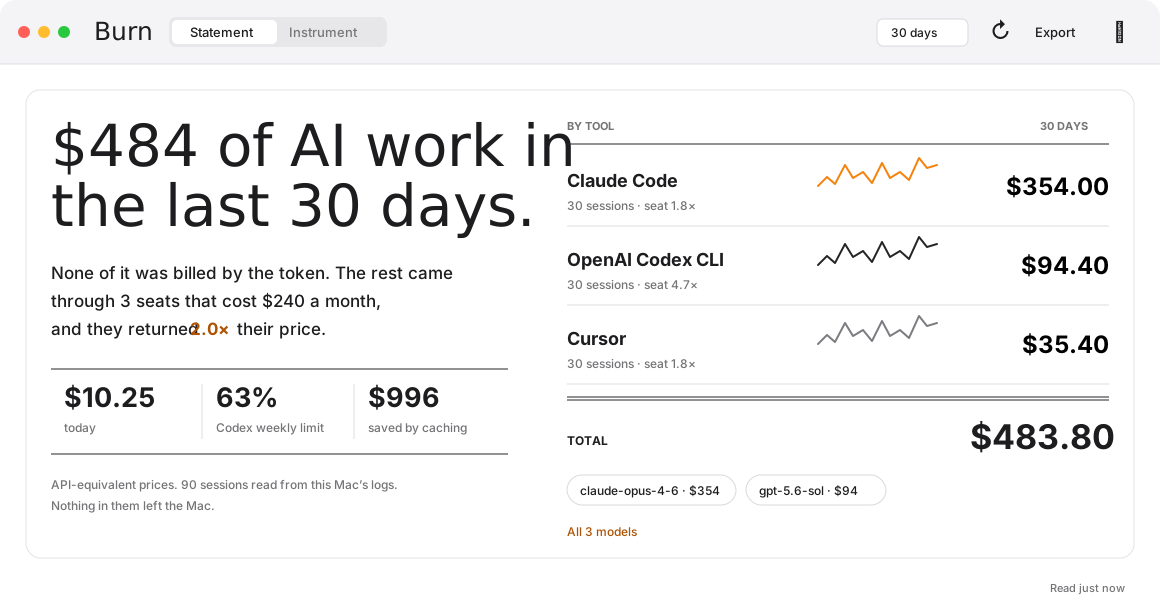
Stop piecing together dashboards and session logs. Burn puts your AI work in one place, with the context to understand it.
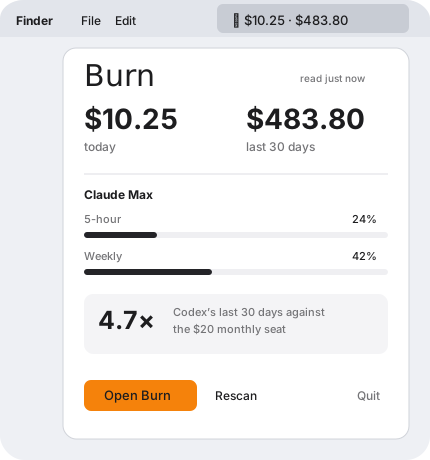
Today’s usage and the current period live in the menu bar. Click to see the summary. Open Burn when you want the whole picture.
Works with the tools you already use.
Burn Pro goes further: daily graphs, model breakdowns, subscription value, budgets and the limits Claude and Codex report.
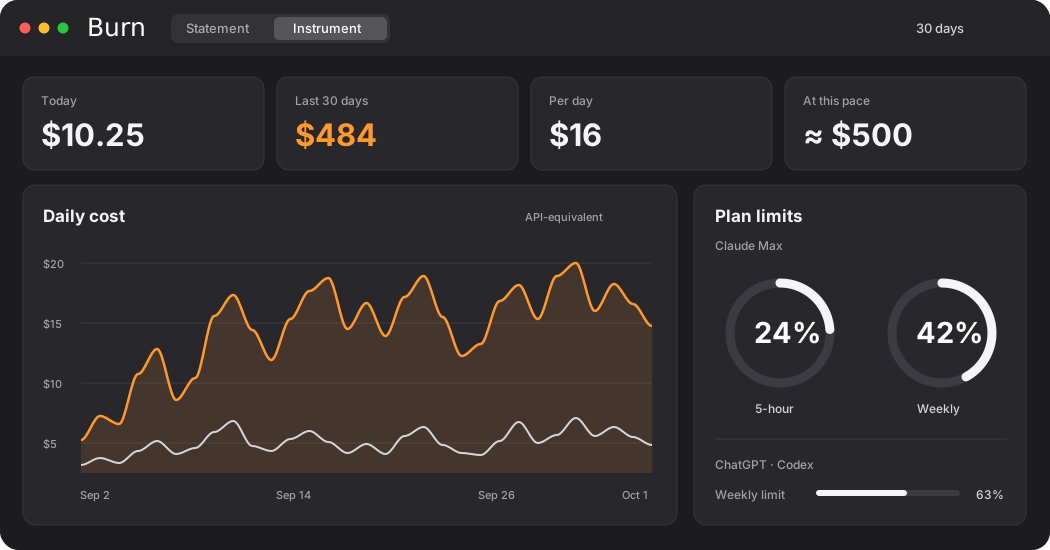
Break down usage by tool, model, day, project or session.
Read plan limits and set a daily or monthly budget.
Export your usage as CSV or JSON to explore it further.
Burn reads the logs your tools already write. Your session logs aren’t uploaded to Dualshade. Connected providers receive requests directly from your Mac, and API keys stay in your Keychain.
Read the privacy policyStart free. Get Pro for the rest of your AI toolkit.
Every Pro plan includes the same features.
$0
No subscription
Claude Code, the menu bar
and the last 7 days.
$6
Per month
All Pro features.
Renews monthly until cancelled.
$49
Per year
All Pro features.
Renews yearly until cancelled.
$79
One payment
All Pro features.
No renewal.
All supported providers, full history, budgets, plan limits and CSV / JSON export.
Install Burn before buying Pro. Stripe handles checkout and shows the final price, including applicable tax. Prices are in USD. One purchase covers one person’s Macs. Restore with your receipt email.
By using Burn, you agree to the terms. See our privacy policy.

Start with Claude Code. See what your AI work is worth.
Download Burn for MacFree download. macOS 14 or later.